
Cloud Backup: The Complete Guide for Secure Data Protection
Cloud backup is no longer optional—it’s essential. Whether you’re running a business or managing personal files, losing data can be costly, disruptive, and sometimes irreversible. This guide explains everything you need to know about cloud backup, from how it works to choosing the best solution.
What Is Cloud Backup?
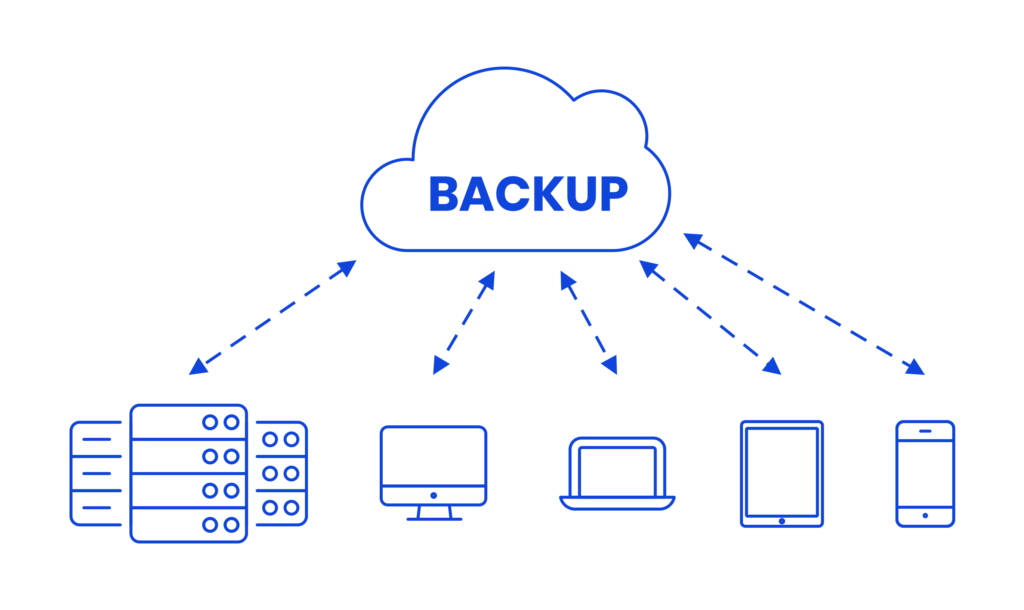
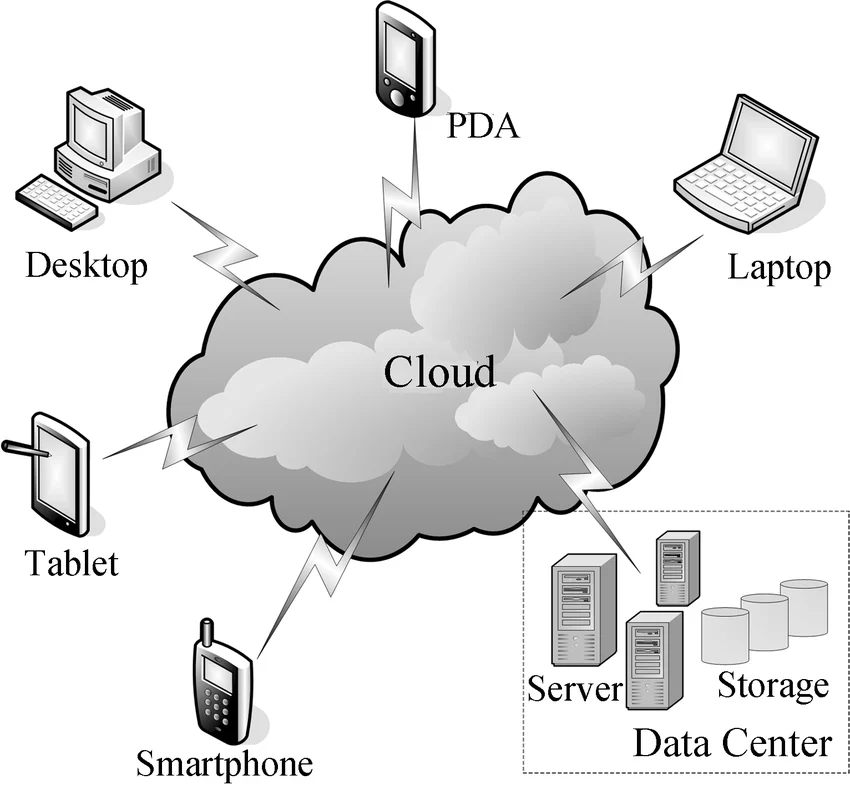
Cloud backup is the process of copying your data to a secure, remote server hosted by a cloud provider. Instead of relying on physical devices like external drives, your data is stored offsite and accessible anytime.
If you’re new to the concept, read our full guide on What is Cloud Backup.
Key Benefits:
- Automatic data protection
- Offsite security against disasters
- Easy recovery and access
- Scalable storage
For a deeper breakdown, visit:
Cloud Backup Explained
How Cloud Backup Works
Cloud backup software continuously or periodically copies your files to remote servers. These backups are encrypted, stored redundantly, and can be restored when needed.
Typical Process:
- Install backup software
- Select files or systems to protect
- Schedule automatic backups
- Data is encrypted and uploaded
- Restore files anytime
Cloud Backup vs Cloud Storage
Many people confuse cloud backup with cloud storage, but they serve different purposes.
| Feature | Cloud Backup | Cloud Storage |
|---|---|---|
| Purpose | Data protection | File access & sharing |
| Automation | Yes | Usually manual |
| Versioning | Yes | Limited |
| Recovery | Full system restore | File-level |
Learn more here:
Cloud Storage VS Cloud Backup
Why You Need Cloud Backup
Data loss happens more often than you think—hardware failure, ransomware, accidental deletion, or even natural disasters.
Cloud backup ensures:
- Business continuity
- Regulatory compliance
- Peace of mind
If you’re looking for a simple cloud backup solution, explore:
Simple Cloud Backup
Types of Cloud Backup Options
There are several cloud backup options depending on your needs:
1. Personal Backup
Ideal for individuals protecting photos, documents, and devices.
2. Business Backup
Designed for servers, databases, and team environments.
3. Hybrid Backup
Combines local and cloud storage for faster recovery.
Explore all available cloud backup options:
Cloud Backup Options
Best Cloud Backup Services
Choosing the right provider is critical. Look for:
- Strong encryption
- Automated backups
- Easy restore process
- Transparent pricing
Discover top solutions:
Best Cloud Backup
Cheapest Cloud Backup Solutions
Affordable doesn’t mean unreliable. Many providers offer cost-effective plans with strong security and automation.
Explore budget-friendly options:
Cheapest Cloud Backup
Cheapest Cloud Backup Service
AgooCloud offers simple pricing: 6€/month per 100GB unit, making it easy to scale as your data grows.
Free Cloud Backup Options
If you’re just getting started, free plans can be a good entry point.
Check out:
Free Cloud Backup
Best Free Cloud Backup
Backup to Cloud Free
AgooCloud includes a 25GB free trial for 14 days with no credit card required, so you can test real backup protection risk-free.
Data Backup on Cloud for Businesses
Businesses require more than just file storage—they need reliable, automated, and secure backup systems.
Key features to prioritize:
- End-to-end encryption
- Automated scheduling
- Multi-device support
- Fast recovery times
Learn more about data backup on cloud:
Data Backup On Cloud
How to Choose the Right Cloud Backup Solution
When evaluating a cloud backup service, consider:
Security
Look for encryption both in transit and at rest.
Ease of Use
A simple interface reduces setup time and errors.
Automation
Backups should run without manual intervention.
Scalability
Your backup should grow with your data.
Pricing Transparency
Avoid hidden fees or complicated tiers.
Why Choose AgooCloud for Cloud Backup?
AgooCloud is designed to make cloud backup simple, secure, and scalable for everyone.
Key Advantages:
- Automated, encrypted backups
- Offsite protection
- Simple pricing (6€/month per 100GB)
- No technical complexity
- 25GB free trial (14 days, no credit card)
External Resources
To better understand cloud backup standards and best practices:
- National Institute of Standards and Technology (NIST) guidelines on data protection
- ENISA recommendations for cloud security
- ISO/IEC 27001 overview for information security management
Final Thoughts
Cloud backup is one of the smartest investments you can make in protecting your data. Whether you’re an individual or a business, having a reliable backup system ensures you’re always prepared for the unexpected.
AgooCloud makes it easy to get started—with automated backups, strong security, and simple pricing.
Start your free trial today and experience worry-free cloud backup.