
NAS Online Backup: Why Businesses Need Secure Offsite Protection
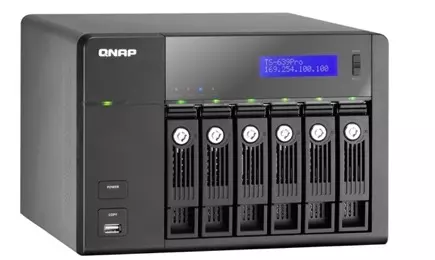
Data loss can happen at any time. Hardware failures, ransomware attacks, accidental deletion, and even natural disasters can destroy important files stored on a NAS device. That is why implementing a NAS online backup solution is essential for businesses and professionals that rely on continuous access to their data.
A local NAS system is excellent for centralized storage, but it should never be your only line of defense. Secure offsite cloud backup adds the protection layer needed to recover files quickly and maintain business continuity.
AgooCloud provides managed cloud backup services designed to protect NAS environments with encrypted, automated, and scalable online backup solutions.
Table of Contents
- What Is NAS Online Backup?
- Why NAS Devices Still Need Backup
- 7 Powerful Benefits of NAS Online Backup
- NAS Online Backup vs Local Backup
- How Much Does NAS Online Backup Cost?
- Why Businesses Choose AgooCloud
- Frequently Asked Questions
- Final Thoughts
What Is NAS Online Backup?
NAS online backup is the process of securely copying files from a Network Attached Storage (NAS) device to encrypted cloud storage through the internet.
Unlike local-only backup systems, online backup keeps a secure offsite copy of your files. This ensures your data remains protected even if your NAS hardware fails or your office experiences a disaster.
Modern NAS cloud backup services typically include:
- Automated backups
- Incremental synchronization
- Encrypted file transfers
- Offsite cloud storage
- Fast file recovery
- Scalable storage capacity
- Ransomware protection strategies
According to National Institute of Standards and Technology, organizations should always maintain offsite backup copies as part of a comprehensive cybersecurity strategy.
Why NAS Devices Still Need Backup
Many users mistakenly believe that a NAS device alone is already a backup solution. In reality, a NAS is usually only one storage location.
Without proper NAS online backup, businesses remain vulnerable to:
Hardware Failure
Hard drives eventually fail. RAID can improve availability, but RAID is not backup.
Ransomware Attacks
Ransomware can encrypt files stored on network shares connected to your NAS.
Human Error
Accidental deletion and overwriting files are among the most common causes of data loss.
Fire, Flood, or Theft
Local-only storage cannot protect against physical disasters.
Cybersecurity Threats
Modern attacks increasingly target NAS environments because they often contain centralized company data.
This is why businesses combine NAS storage with managed cloud backup services for complete data protection.
7 Powerful Benefits of NAS Online Backup
1. Secure Offsite Data Protection
The biggest advantage of NAS online backup is geographic redundancy. Your files remain safe even if your office or NAS hardware is compromised.
2. Automated Backup Processes
Manual backups are unreliable. Automated cloud backup ensures your files are continuously protected without requiring daily intervention.
3. Ransomware Recovery
Cloud backups help businesses recover quickly from ransomware incidents by restoring clean file versions.
For more information about ransomware threats, visit CISA Ransomware Guide
4. Scalable Storage Capacity
As your NAS storage grows, your online backup storage can scale alongside it without purchasing additional hardware.
5. Encrypted Cloud Security
A reliable NAS online backup provider encrypts data:
- during transfer
- at rest
- during storage
This helps businesses improve compliance and security posture.
6. Faster Disaster Recovery
Cloud recovery helps minimize downtime and supports business continuity during emergencies.
7. Predictable Monthly Pricing
Businesses prefer predictable operational costs instead of large infrastructure investments.
AgooCloud offers transparent NAS online backup pricing starting at:
- 100GB → 6€ / month
- 500GB → 30€ / month
- 1TB → 60€ / month
This flexible model allows businesses to scale storage as needed.
NAS Online Backup vs Local Backup
| Feature | Local NAS Backup | NAS Online Backup |
|---|---|---|
| Offsite Protection | No | Yes |
| Disaster Recovery | Limited | Strong |
| Ransomware Resilience | Weak | Better |
| Scalability | Hardware dependent | Flexible |
| Accessibility | Local only | Remote recovery |
| Automation | Manual setup | Fully automated |
The best backup strategy often combines local redundancy with secure cloud backup.
How Much Does NAS Online Backup Cost?
Pricing depends on:
- storage capacity
- retention needs
- recovery requirements
- backup frequency
AgooCloud simplifies pricing using scalable storage portions.
AgooCloud Pricing Examples
| Storage | Monthly Price |
|---|---|
| 100GB | 6€ |
| 500GB | 30€ |
| 1TB | 60€ |
| 2TB | 120€ |
Businesses can start small and expand backup capacity over time.
Why Businesses Choose AgooCloud for NAS Online Backup
AgooCloud focuses on secure managed cloud backup services that are simple, scalable, and reliable.
Key Advantages
- Automated NAS backup
- Secure encrypted cloud storage
- Incremental backup technology
- Offsite protection
- Flexible storage scaling
- Predictable pricing
- GDPR-conscious infrastructure
- Managed backup experience
Businesses can also start with:
- 25GB free for 14 days
- no credit card required
This allows companies to test the platform before committing to larger storage plans.
Recommended NAS Online Backup Use Cases
Small Businesses
Protect:
- accounting files
- shared folders
- operational documents
- customer data
Creative Professionals
Secure:
- video archives
- photography projects
- design files
- media libraries
Remote Teams
Backup:
- distributed work files
- shared projects
- remote office data
Best Practices for NAS Online Backup
Follow the 3-2-1 Backup Rule
Maintain:
- 3 copies of data
- 2 storage types
- 1 offsite backup copy
Test Recovery Procedures
Regular restore testing ensures backup reliability.
Encrypt Sensitive Data
Always use encrypted cloud backup services.
Automate Backup Scheduling
Automation reduces the risk of missed backups.
Frequently Asked Questions About NAS Online Backup
Is NAS online backup secure?
Yes. Reliable providers use encryption during transfer and storage to protect files.
Can I back up Synology and QNAP NAS devices?
Most modern backup platforms support major NAS manufacturers.
Is cloud backup better than external drives?
Cloud backup provides offsite protection and automation that external drives cannot offer alone.
What happens if my NAS fails?
You can restore your files directly from your online cloud backup.
How much storage do I need?
It depends on how much NAS data you want to protect and your retention policy.
Final Thoughts
A NAS device alone is not enough to guarantee complete data protection.
A proper NAS online backup solution provides:
- encrypted offsite storage
- ransomware resilience
- scalable cloud capacity
- automated recovery
- business continuity protection
For businesses looking for reliable managed cloud backup services, AgooCloud offers secure NAS online backup with transparent pricing starting at just 6€ per 100GB.
Start with 25GB free for 14 days and protect your NAS data before disaster strikes.